
WiFiKill
Tools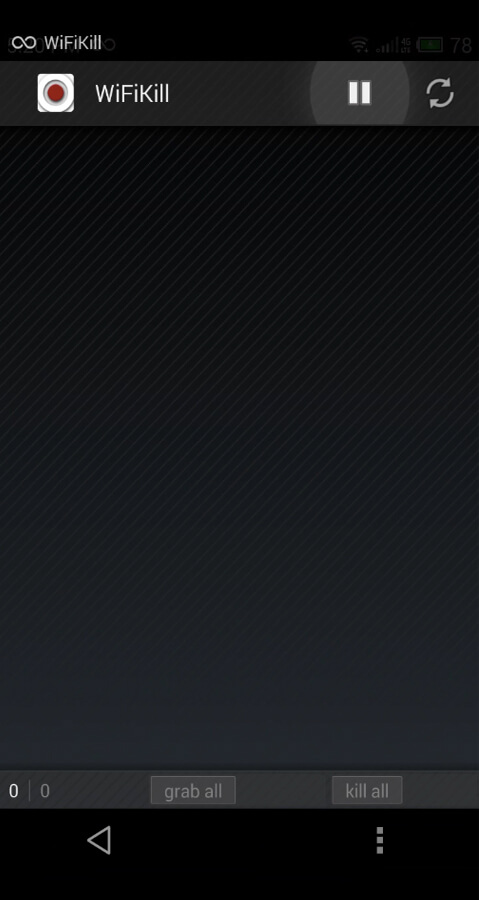
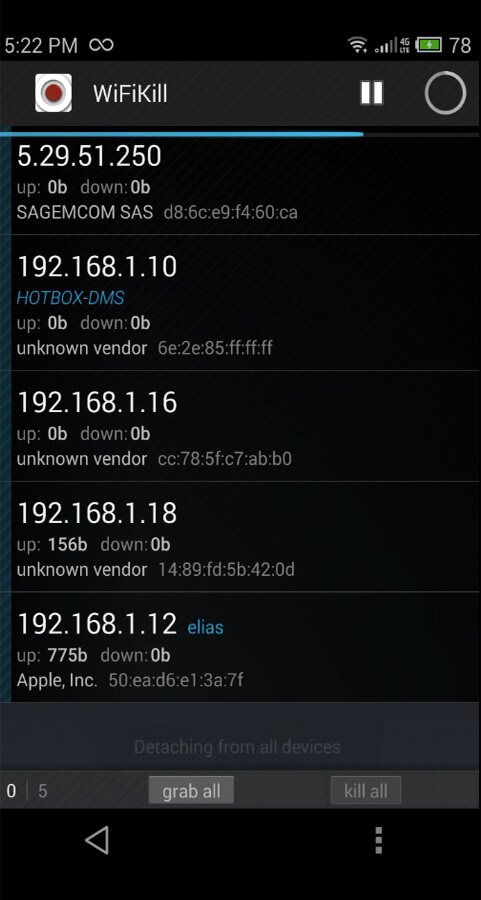

WiFiKill is a utility that lets you take control of a Wi‑Fi network you are connected to. By identifying other devices on the same hotspot, the app can limit their bandwidth or disconnect them entirely, which can improve your own browsing speed on crowded public networks.
This page provides the latest version details, installation guide, compatibility notes, and safety considerations so you can decide whether WiFiKill fits your needs.
Quick Information
| App/Game Name | WiFiKill |
| Latest Version | 2.3.2 |
| Developer | Not listed |
| Category | Apps / Tools |
| App Size | 9.89 MB |
| Package Name | forum.paranoid.me |
| Last Updated | 9 January 2026 |
What Is WiFiKill?
WiFiKill scans the local Wi‑Fi subnet, lists all connected clients, and offers options to block or throttle those devices. It is aimed at users who experience slow connections due to many people sharing the same hotspot and want a quick way to reclaim bandwidth.
The app works best on older Android releases; newer versions may restrict the ability to interfere with other devices unless the device is rooted or granted special network permissions. WiFiKill does not provide any built‑in VPN or encryption features.
Compatibility
| Android Version | ✓ Verified — Android 4.0 and higher |
| Architecture (ARM64 / 32-bit) | Not Verified |
| Internet Connection | ✓ Verified — May be required for ads, updates, or login |
| Storage Needed | Not Verified |
| OBB/Data Files | Not Verified |
| Root Required | Not Verified |
How to Install
- Enable installation from unknown sources: Settings → Security → “Install unknown apps” (or similar for your device).
- Download the WiFiKill APK file to your device.
- Open the downloaded file and tap “Install”.
- After installation, launch WiFiKill and grant any requested network permissions.
- Use the app’s interface to scan the current Wi‑Fi network and select devices you wish to block or limit.
Troubleshooting
- App not installed – Ensure you have allowed installations from unknown sources and that the APK is not corrupted.
- Crashes on startup – Try clearing the app cache or reinstalling. Compatibility issues on newer Android versions may also cause instability.
- Blocking does not work – Full functionality often requires root access or elevated network permissions. Without them the app may only display connected devices.
- Wi‑Fi disconnects after using the app – Some routers block repeated deauthentication attempts; switch to a different network if this occurs.
Safety & Security
WiFiKill is a modified utility that interacts directly with network traffic. Before installing, verify the source of the APK and scan it with a reputable antivirus app. Review the permissions it requests; if it asks for unrelated access (e.g., contacts, SMS) you should be cautious.
Because the app can disrupt other users’ connections, misuse may violate local network policies or terms of service. Use it responsibly and only on networks where you have permission to manage traffic.
How WiFiKill Compares
| Feature | WiFiKill | NetCut | Fing | WiFi Analyzer |
|---|---|---|---|---|
| Price / Model | Free (APK) | Free with in‑app purchases | Free | Free |
| Platform | Android | Android, Windows | Android, iOS | Android |
| Standout Feature | Device deauthentication (block users) | ARP spoofing and device blocking | Network discovery and device info | Signal strength visualization |
| Best For | Quickly limiting bandwidth on crowded public Wi‑Fi | Advanced network control on rooted devices | Network inventory and troubleshooting | Optimizing Wi‑Fi signal placement |
Alternatives
NetCut – Offers ARP‑based device blocking and bandwidth control, often used by power users on rooted Android phones.
Fing – Network Tools – Provides comprehensive network scanning, device identification, and basic ping tests, but does not block traffic.
WiFi Analyzer – Focuses on signal strength and channel optimization rather than device control; useful for improving overall Wi‑Fi performance.
Final Verdict
WiFiKill can be handy for users who need a fast way to reduce congestion on public hotspots, especially on older Android devices where the deauthentication feature works reliably. The app’s simplicity is a plus, but it may require root access for full effectiveness and can conflict with newer Android security policies. Verify the APK source, understand the permissions it requests, and use it responsibly on networks where you have authority to manage traffic.
Frequently Asked Questions
The APK itself is not malicious, but you should download it from a trusted source and scan it with an antivirus before installing.
Full device‑blocking capabilities usually need root or elevated network permissions; without them the app may only list connected devices.
WiFiKill works best on older Android releases; newer versions may limit its ability to block other devices unless the phone is rooted.
The app can scan any network you are connected to, but using it on networks you do not own may violate the provider’s terms of service.
After scanning, select the target device from the list and choose the block or limit option provided by the app.
Blocking other devices can improve your own speed, but aggressive deauthentication may cause the router to reset or temporarily drop all connections.
If you have a previous version installed, the new APK will replace it during installation; no separate uninstallation is required.
Older APKs may exist online, but using the latest version is recommended for better compatibility and security.